Get in touch
EN

Infrastructure and support · Tajikistan

WI-FI DESIGN AND CONFIGURATION

Wi-Fi design and configuration. We plan coverage, network capacity and access for staff and guests.

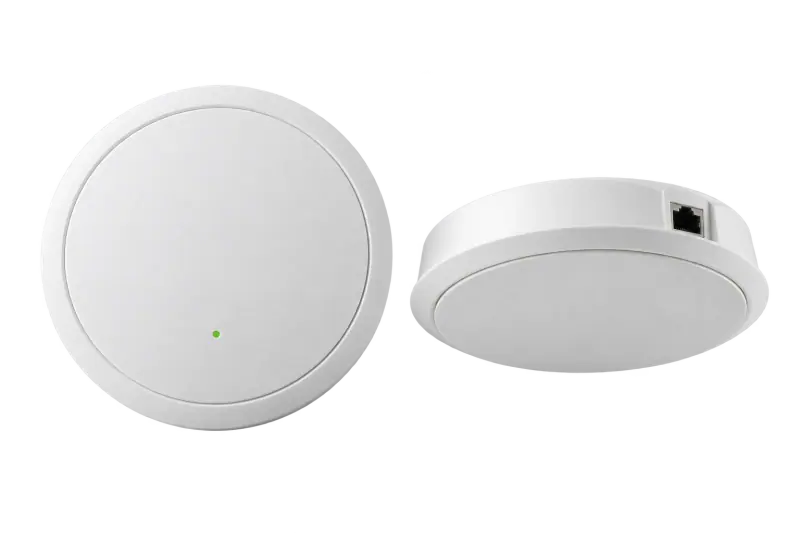
Office Wi-Fi access points

01 / Service scope

From your task
to a solution.

Full signal bars do not guarantee stable video calls. Results depend on client counts, interference, layout and wired access-point connections.

Coverage survey

Walls, rooms and working zones.

Learn more

We clarify partition materials, floor area, storeys and working zones. Radio measurements help on complex sites. Advertised range alone is not enough to select an access point: neighbouring networks and device placement change conditions.

Capacity and placement

How many devices are active together.

Learn more

We count active devices and applications, not just employees, and plan channels, bands, power and wired connections. Unplanned access points can interfere with one another and fail to provide reliable roaming.

Access and testing

Guest networking with defined limits.

Learn more

Agree staff/guest separation, access management and password changes. Test typical client devices and real scenarios. Separate external internet faults from Wi-Fi issues to avoid replacing working equipment.

02 / Process

A clear process.
At every step.

01

Clarify the task

The details needed to get started.

Learn more

Review rooms, walls, user counts and working scenarios. Video calls, mobile devices and guest access create different loads.

02

Assess and propose

A clear scope and estimate.

Learn more

Plan access point locations for both coverage and capacity. Wired connections and internet service conditions are considered separately.

03

Agree and carry out

Agree costs and changes before proceeding.

Learn more

Agree equipment, installation and staff and guest access rules. Plan changes to the existing network with the responsible specialist.

04

Check at handover

Check the result against the agreed task.

Learn more

Check connectivity in the agreed work areas and scenarios. A signal indicator alone does not verify stability or application performance.

03 / Result

Agreed scope.
Clear results.

Test agreed work areas and typical devices against actual usage scenarios. Guest access and restrictions are discussed in line with equipment capabilities.

  • Access point placement and wired connections
  • Access and guest network settings
  • Tests of work areas and client devices

04 / Pricing

What determines
the price.

The estimate depends on layout, active clients, radio conditions, power and wired access point connections. Equipment, cabling, configuration and tests follow the project scope.

  • 01Floor area and radio conditions
  • 02Number of client devices
  • 03Access points, licences and management
  • 04Cabling, power and site survey

Across almost all of Tajikistan.
Terms to suit the task.

We handle enquiries from almost all of Tajikistan. Delivery, handover or an on-site visit, if needed, are agreed for your city in advance. Terms depend on the address, task and specialist availability; this page does not imply identical service times in every locality.

05 / Useful information

Good questions.
Clear answers.

Will a repeater fix a weak signal?

A repeater can help with a simple need but may reduce available capacity. For sustained workloads, assess access-point placement and wired connections instead.

Do we need a different internet provider?

First compare wired and wireless performance. The cause may be radio interference, the local network or the external connection.

Can visitors have a separate network?

If supported by the equipment, guest access and isolation can be configured. Specific restrictions are agreed with the network owner.

How many access points does an office need?

Floor area alone does not determine the count: walls, interference, active clients and applications matter. A plan and workload are needed; an advertised range does not replace design.


Related services

Let’s discuss the next step

Tell us
about your requirements.

State area, floors, wall materials and simultaneous device count. Describe problem areas, applications and existing access points; include a floor plan if available.

+992 44 655 00 00info@nekon.tj

We use your contact details to respond to your request. Do not send passwords or confidential files.

What are you looking for?

Start with a service or equipment name.

NEKON Assistant

Demo · answers from our guide

Hello! I can help you find equipment, a service or contact details. I am a demo assistant using the company guide, with no AI connection.

Do not send passwords or payment details.